 webstacy
SaaS Conversion Audit: Want to benchmark your marketing site, Core Web Vitals, and demo funnel?
Custom CRM & ERP Portal Development: 2026 Guide
The Limitations of Off-the-Shelf SaaS
As enterprises scale, they quickly hit the wall with off-the-shelf software solutions like Salesforce, HubSpot, or rigid ERP platforms. High per-seat monthly licensing costs add up to tens of thousands of dollars annually, while custom workflow modifications require expensive specialized consultants.
The Strategic Advantage of Custom Portals
A custom client portal or enterprise resource portal built specifically for your business offers total operational alignment:
- Zero Per-Seat Fees: Onboard 5 employees or 5,000 clients without incremental licensing fees.
- Bespoke Workflows: Software built around your exact business processes, rather than altering your business to fit the software.
- Role-Based Security: Strict granular permissions ensure users only see data relevant to their specific role.
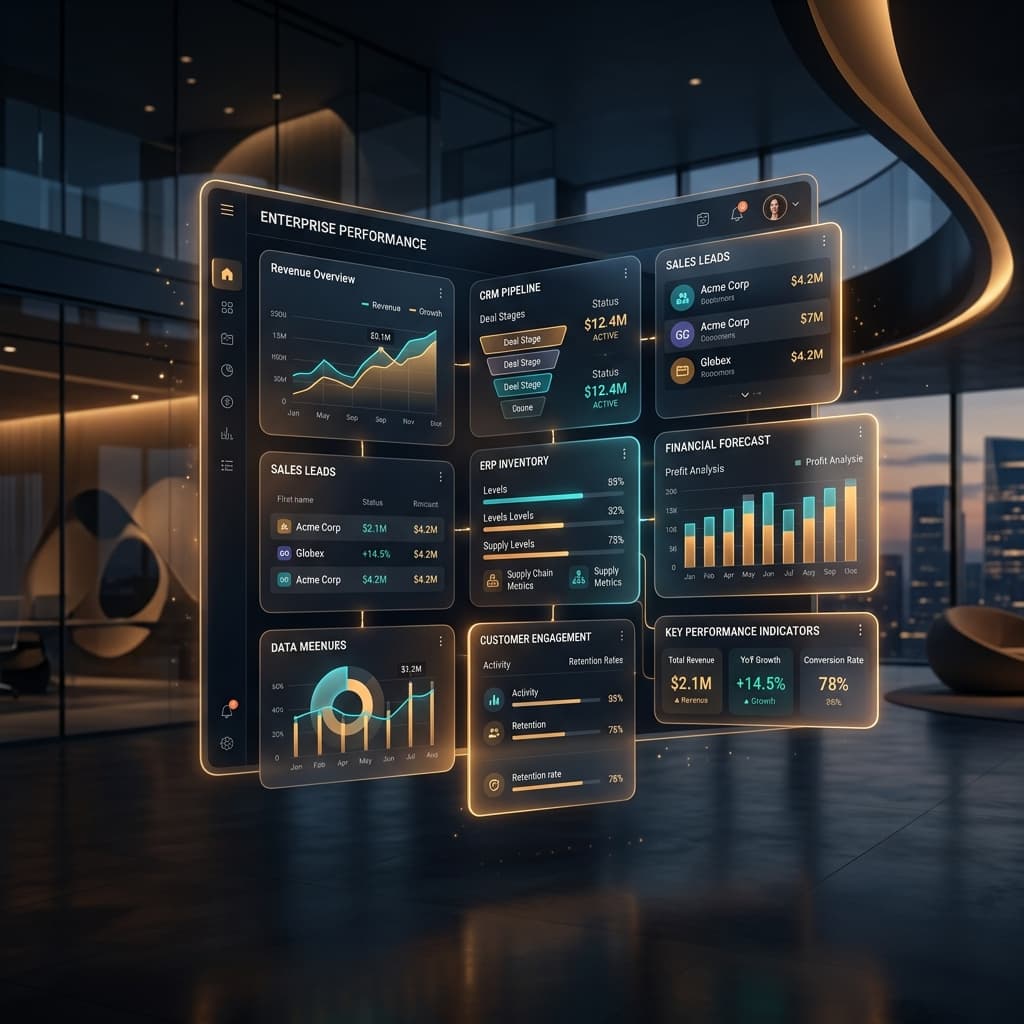
- Real-Time Analytics & Dashboards: Instant executive visibility into KPIs, operational status, revenue pipelines, and team performance.
Key Architectural Components
When Webstacy engineers custom internal tools and client portals, we utilize a robust modern tech stack:
- Frontend: Next.js & React with TailwindCSS for ultra-responsive, dark-mode ready interfaces.
- Backend & Database: PostgreSQL with Prisma ORM and Node.js for bulletproof data integrity and lightning-fast queries.
- Authentication: Encrypted JWT / OAuth2 authentication with multi-factor authentication (MFA) enforcement.
- Third-Party API Integrations: Direct REST & GraphQL connections to payment gateways (Stripe), accounting software (Xero, QuickBooks), and communication channels.
Unlocking Operational Excellence
Ready to replace fragmented subscriptions with an enterprise asset you own entirely? Explore Webstacy's CRM & ERP portal development service and talk to our software architects today. Since these portals handle sensitive operational data, pair the build with our website security checklist.
Portal Types, Compared
| Portal Type | Core Function | Typical Users |
|---|---|---|
| Customer portal | Self-service account, order, and document access | External customers |
| Operations board | Job queues, task assignment, status tracking | Internal staff and managers |
| Booking/scheduling system | Custom availability and appointment logic | Customers and staff |
| Fleet/inventory management | Real-time asset and stock tracking | Operations and logistics teams |
A Security Checklist for Any Custom Portal
- Role-based access control so users only see data relevant to their permission level.
- JWT or session-token authentication with proper expiry handling.
- Two-factor authentication available for admin and manager roles at minimum.
- All traffic served over HTTPS/TLS, with HSTS enabled.
- Database access restricted by least-privilege principle — application layers should never hold full admin credentials.
- Regular dependency and security audits, not a one-time setup.
Planning the Data Model Before Any Screen Is Designed
The single most common mistake in custom portal projects is jumping straight to interface design before the underlying data model is settled. Every table, relationship, and permission rule should be mapped against the real workflow first — who creates a record, who can edit it, who can only view it, and what happens when a record changes state. Getting this right up front avoids expensive schema migrations once real data is in the system.
A well-built portal should feel invisible to the people using it — no workarounds, no "the software doesn't let us do that" moments, because it was built around the actual process from day one.
Build vs. Configure: Two Different Kinds of "Custom"
Not every custom project starts from a blank codebase. Sometimes the right answer is configuring a flexible platform (like a headless CMS or low-code backend) around your workflow; other times the workflow is specific enough that a fully bespoke build is the only option that fits. The decision comes down to how unusual your process actually is — a standard booking flow with minor customizations rarely justifies a from-scratch build, while a multi-role approval chain unique to your industry usually does.
| Approach | Speed to Launch | Flexibility Ceiling |
|---|---|---|
| Configure a flexible platform | Faster | Limited by the platform's underlying model |
| Fully custom build | Slower | No ceiling — built to the exact spec |
Scaling a Portal as the Business Grows
A portal built without scale in mind tends to break in predictable ways — slow queries as data volume grows, permission logic that doesn't cleanly extend to new roles, integrations that assumed a single location and now need to support several. Planning the database schema and permission model with headroom from day one avoids an expensive re-architecture later, even if the initial feature set stays deliberately small.
What Discovery Looks Like Before Development Starts
The discovery phase is where most of the risk in a custom portal project gets removed — before a single line of code is written. This typically means shadowing the actual workflow being replaced, interviewing every user role (not just management), and documenting exceptions and edge cases explicitly, since those edge cases are usually where off-the-shelf software failed in the first place. Skipping this step to "move faster" is the single most common cause of custom software projects that ship on time but don't actually fit how the business works.
Handling Data Migration From Legacy Systems
Most portal projects aren't greenfield — there's existing data in spreadsheets, an old system, or a generic SaaS tool that needs to move into the new platform without loss or corruption. A proper migration plan validates data quality before the move (catching duplicate records, inconsistent formatting, and missing fields), runs the migration in a staging environment first, and keeps the legacy system accessible read-only for a defined period as a safety net.
Choosing Between Cloud and On-Premise Hosting
| Hosting Model | Best For |
|---|---|
| Cloud-hosted | Most businesses — scalable, lower maintenance overhead |
| On-premise / private cloud | Strict regulatory or data-residency requirements |
Most portals default to cloud hosting for good reason — it scales with demand and removes the burden of managing physical infrastructure — but certain regulated industries genuinely require tighter control over where data physically lives, which changes the hosting decision from day one.
Testing a Custom Portal Before Go-Live
Because a portal touches real operational workflows, testing has to go beyond checking that buttons work — it means running the system against real (or realistic) data volumes, testing every permission level with an actual user from that role rather than a developer simulating it, and deliberately trying to break edge cases like duplicate submissions, concurrent edits, or expired sessions. A portal that passes functional testing but hasn't been stress-tested against real usage patterns is the most common source of post-launch support tickets.
A CRM or ERP portal is usually one component of a wider rebuild — see how it fits into Business Process Automation for Small Business (2026 Guide).
Frequently Asked Questions
Often yes at scale — per-seat SaaS fees compound with headcount, while a custom CRM has a fixed build cost and no recurring per-user charges, typically breaking even within 12–24 months for teams of 10+.
A focused CRM covering core workflows (contacts, pipeline, tasks) typically takes 6–10 weeks; full ERP integration with accounting and inventory systems extends that to 3–4 months.
Yes — custom CRMs are built with REST/GraphQL APIs specifically to connect with existing accounting software, payment gateways, and communication tools rather than forcing a migration.
Since you own the codebase, any developer can maintain it, but most clients keep a support retainer with the original team for updates, security patches, and new feature requests.
CRM & ERP Portal Service
Bespoke internal platforms, customer portals, and enterprise resource planning systems tailored exactly to your operations.
Ready to Scale Your SaaS Pipeline?
Schedule a strategy call with Webstacy. We will analyze your website, Core Web Vitals, and demo booking funnel to unlock compounding pipeline growth.