 webstacy
SaaS Conversion Audit: Want to benchmark your marketing site, Core Web Vitals, and demo funnel?
Website Redesign ROI & Digital Transformation Guide

Recognizing the Signs of Technical & Strategic Debt
Legacy systems often creep up slowly. A business starts with basic software and makeshift workarounds that gradually morph into a web of operational inefficiency. Common warning signs include slow page loading, high customer churn, manual data transfer between apps, and inability to launch new digital services.
The Webstacy Digital Transformation Framework
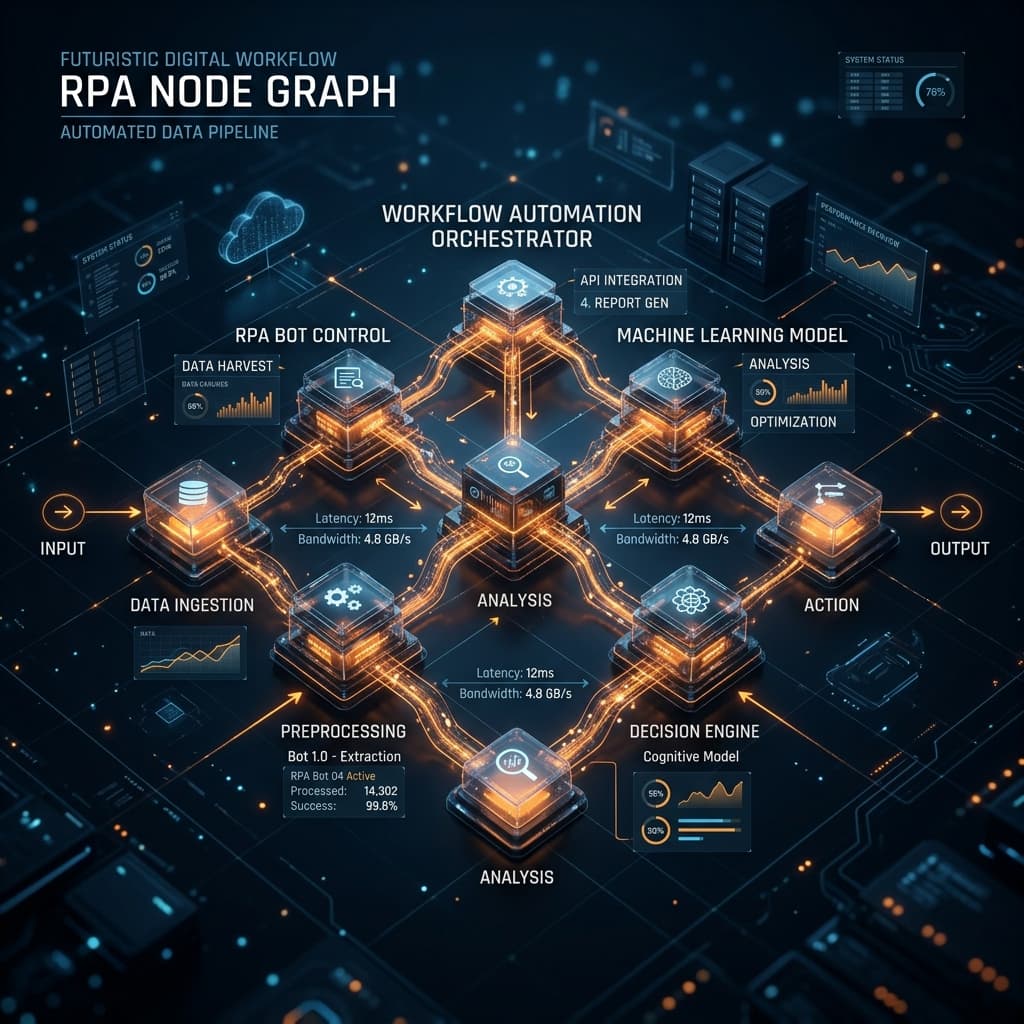
- Discovery & Operational Audit: Analyzing existing software bottlenecks, user friction points, and revenue leakage points.
- Architecture & Design System: Crafting a unified visual brand language and scalable database schema.
- Custom Development & Migration: Building modern serverless applications with seamless historical data migration.
- Automation & Team Onboarding: Training staff, automating workflows, and establishing real-time operational analytics dashboards.
Long-Term Dividends of Digital Modernization
Companies that undergo complete digital modernization with Webstacy experience faster sales cycles, lower operational costs, and higher brand enterprise value. See real results in our case studies, or schedule your transformation strategy session today. If security hasn't been part of your last redesign, start with our website security checklist.
Signs a Website Redesign Will Pay for Itself
- Bounce rate on key landing pages is significantly higher than the rest of the site.
- The current site can't support features the business now needs (booking, portal, automation integration).
- Brand perception online doesn't match the quality of the actual product or service.
- Competitors with clearly weaker offerings are outranking and outconverting you.
A Framework for Measuring Redesign ROI
| Metric | What to Track Before vs. After |
|---|---|
| Conversion rate | Visitors who become leads or customers |
| Organic traffic | Search visibility gained from technical/content improvements |
| Average session duration | Engagement depth as a proxy for relevance |
| Core Web Vitals scores | Direct input into both UX and search ranking |
Planning the Transition Without Losing Existing Rankings
A redesign done carelessly can tank search rankings overnight through broken URLs and lost redirects. A proper migration plan maps every existing URL to its new destination with 301 redirects, preserves existing metadata and structured data where still accurate, and monitors Search Console closely in the weeks after launch to catch indexing issues early. Done correctly, a redesign should only improve search performance — the risk is entirely in the execution, not the decision to redesign.
Digital transformation isn't a single project with a finish line — it's the ongoing discipline of making sure your digital presence keeps pace with what your business has actually become.
Phasing a Transformation Instead of a Big-Bang Launch
Large digital transformation projects fail more often from execution risk than strategy risk — trying to change everything at once creates a single point of failure. Phasing the work (website first, then automation, then a customer portal) lets each stage prove its value and inform the next, rather than betting the entire budget on one simultaneous launch.
| Phase | Typical Focus | Why This Order |
|---|---|---|
| 1. Foundation | Website rebuild, core brand and conversion infrastructure | Everything else depends on a credible digital front door |
| 2. Automation | Lead capture, follow-up, internal workflows | Captures and converts the traffic the new site generates |
| 3. Systems | CRM/ERP portal, AI-assisted operations | Scales the operational side once demand is proven |
Getting Internal Buy-In for the Investment
The most common internal objection to a transformation project isn't cost — it's uncertainty about return. Framing the investment against a specific, measurable baseline (current conversion rate, current manual hours spent, current ranking position) rather than an abstract "modernize the business" pitch makes the case concrete, and gives everyone a clear number to check the project against after launch.
Common Objections and How to Evaluate Them
| Objection | How to Evaluate It |
|---|---|
| "Our current site still works fine" | Check actual conversion rate and Core Web Vitals data, not just whether it loads |
| "It's not the right time" | Compare cost of waiting (lost conversions monthly) against project cost |
| "We don't know what we need yet" | A proper discovery phase is designed to answer exactly this |
Choosing the Right Partner for a Transformation Project
Because this kind of project touches design, engineering, and often ongoing operations, the right partner should be able to speak credibly to all three — not just deliver a visually polished mockup with no plan for performance, SEO continuity, or how the new system will actually integrate with existing tools. Asking to see a past project's real, measured outcome (not just a screenshot) is usually the fastest way to separate genuine capability from a good pitch deck.
Setting Realistic Expectations for Timeline
| Project Scope | Typical Timeline |
|---|---|
| Website rebuild only | 3–6 weeks |
| Website + automation layer | 6–10 weeks |
| Full transformation (site, automation, portal) | 10–16+ weeks, phased |
Compressing these timelines rarely saves real time — it usually just shifts risk later into the project, where mistakes are more expensive to fix.
Documenting the Process for Future Reference
A transformation project generates decisions worth remembering — why a particular platform was chosen, what data model was used, what the original performance baseline was. Documenting these decisions as the project happens, rather than trying to reconstruct them later, makes the next iteration (and the next team member who touches the system) significantly faster to onboard, and prevents the same evaluation work from being repeated from scratch a few years down the line.
Change Management Inside the Business
New systems only deliver value if the team actually uses them as intended — a technically successful rollout can still underperform if staff quietly revert to old habits and spreadsheets alongside the new tools. Dedicated training, a clear internal champion, and phasing out the old process deliberately (rather than letting both run in parallel indefinitely) are what actually determine whether a transformation sticks.
A rebuild done right doesn't just modernize the look of a business online — it removes the structural ceiling that was quietly capping growth, and gives every other channel, from SEO to paid ads, a stronger foundation to build on.
The businesses that get the most from a transformation project treat it as the start of an ongoing improvement cycle, not a single finish-line event.
Planning a rebuild? Start with the fundamentals in Custom Website vs. Template Website: Which Wins in 2026?.
Frequently Asked Questions
Warning signs include slow page loads, manual data transfer between disconnected tools, rising customer churn, and an inability to launch new digital services without a developer for every change.
A complete overhaul — website, systems, and automation — typically runs 3–6 months depending on how many legacy systems need migration and how much historical data must be preserved.
Phased redesigns are common and lower-risk — starting with the highest-traffic pages or the weakest-converting funnel step lets you show ROI before committing to a full rebuild.
Results vary by starting point, but businesses undergoing full digital modernization commonly see faster sales cycles and lower operational costs, with high-friction redesigns showing especially large traffic and conversion gains.
Ready to Scale Your SaaS Pipeline?
Schedule a strategy call with Webstacy. We will analyze your website, Core Web Vitals, and demo booking funnel to unlock compounding pipeline growth.