 Get Free Audit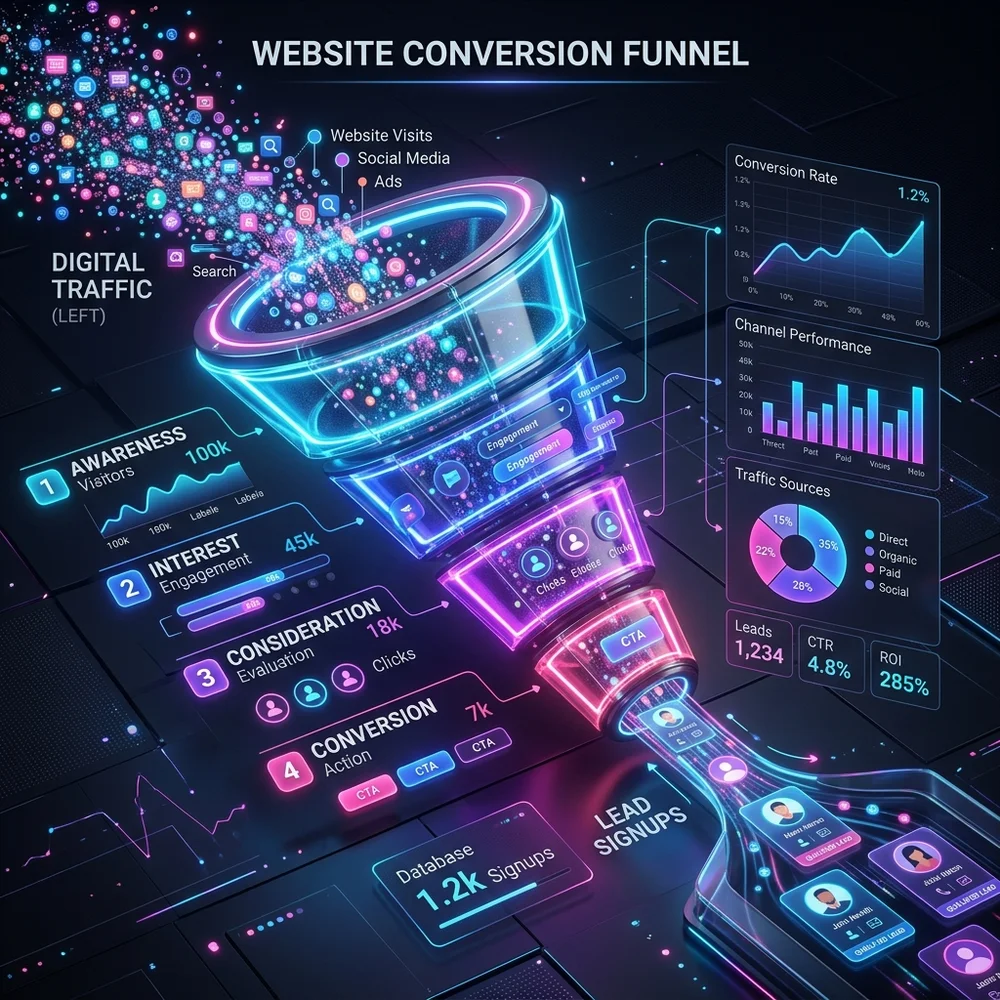
The Math Behind Conversion Rate Optimization (CRO)
Many business owners assume the only way to get more customers is to buy more traffic. However, driving traffic is expensive. **Conversion Rate Optimization (CRO)** is the process of making the traffic you already have perform better.
Optimizing the math behind conversion rate optimization (cro) is vital for digital growth. Proper execution balances aesthetic appeal with page speed performance. This structure minimizes friction and lowers user bounce rates. By removing visual clutter, you build long-term reader trust.
If your website gets 10,000 visitors a month at a 1% conversion rate, you generate 100 leads. If you optimize your page and raise that conversion rate to 2%, you get 200 leads—doubling your sales without spending an extra dollar on marketing.
Key Optimization Tactic
Focus on user experience first. Include structured data schema markup to help Google display rich snippets. Consequently, site conversion rates will compound and index scores will improve.
Strategy 1: Simplify and Focus Your Value Proposition
Within three seconds of landing on your website, visitors must understand exactly what you offer, how it solves their pain point, and what action they need to take next. If your hero statement is vague or uses corporate jargon, users will bounce immediately. Partnering with an experienced agency like Webstacy ensures these technical standards are met.
Strategy 2: Use High-Contrast, Action-Oriented CTAs
Your Call to Action (CTA) buttons must command attention. Choose a highly contrasting accent color that stands out from the rest of your page palette. Make the copy benefit-oriented—such as "Get Your Free Quote" instead of "Submit."
Strategy 3: Minimize Form Friction and Fields
Every field you add to your contact form lowers your conversion rate. Eliminate fields that are not immediately necessary. A phone number or home address can be requested later in the sales process. Keep your primary form down to a name and email address. Consult the team at Webstacy to review your digital performance and optimize your revenue metrics.
→ Landing Pages: Dive deeper into landing page optimization techniques.Strategy 4: Deploy Strategic Trust Badges and Reviews
Prospects are naturally skeptical. Overcome their hesitation by showcasing client testimonials, Google review star counts, and logos of organizations you have collaborated with. Place these close to the fields where they submit their details.
Strategy 5: Handle Common Objections with a FAQ
Most visitors hesitate to convert because they have unanswered questions: "What is your pricing?", "How long does it take?", "What if it doesn't work?" Preempt these doubts by adding an informative Frequently Asked Questions section directly on your landing page.
Strategy 6: Leverage Page Speed and Web Performance
Website speed directly impacts conversions. A delay of just a couple of seconds causes user irritation and results in higher exit rates. Clean up bloating code and keep visual files compressed.
→ Speed Guide: Complete guide to website speed optimization.Strategy 7: Implement Chat Bots for Instant Support
Some users are ready to convert but need an immediate answer to a specific question. Installing an AI-driven live chat widget lets you catch these users at the peak of their purchase intent, raising sales opportunities by up to 30%.
Strategy 8: Create Distraction-Free Conversion Trails
When users enter your checkout or request quote funnel, eliminate all external links. Remove the main site menu and social media sharing buttons. Keep the user's attention completely centered on finalizing the transaction.
Optimizing strategy 8: create distraction-free conversion trails is vital for digital growth. We recommend linking all forms directly to CRM autoresponder sequences. This helps direct traffic toward your primary call-to-action. By removing visual clutter, you build long-term reader trust.
"The best checkout layouts have zero external links. Once a user begins to buy, their only option should be to finish the process or hit the back button."
Key Optimization Tactic
Focus on user experience first. Review mobile layouts and check button tap targets on small screens. Consequently, site conversion rates will compound and index scores will improve.
Strategy 9: Use Direct Visual Cues and Directional Cues
Use design elements like arrows, lines, or photos of people looking toward your sign-up form. These visual cues naturally guide the user's eyes directly to your conversion fields, increasing registration rates.
Strategy 10: Run Continuous A/B Split Testing
Never rely on design assumptions. Set up A/B split tests to compare different button styles, form lengths, headlines, and layouts. Trust real user action data to tell you what drives the highest conversions.